Introducing the NINJIO Sensei AI Training Content Generator: Create Training Specific to Your Company’s Needs
Somewhere in your org right now, there’s a policy update that’s been finished for a month. It’s approved and final, and it’s still sitting in a PDF doing nothing because turning a policy into training means finding time you don’t have, design skills you weren’t hired for, or another tool you don’t want to buy. Training shouldn’t take months to build.
That gap is more than an annoyance now. Attackers are using AI to write phishing and vishing attempts that read like they came from someone your team actually knows, and human error still factors into roughly six in ten breaches. The longer a finished policy sits untranslated into training, the longer that specific gap stays open.
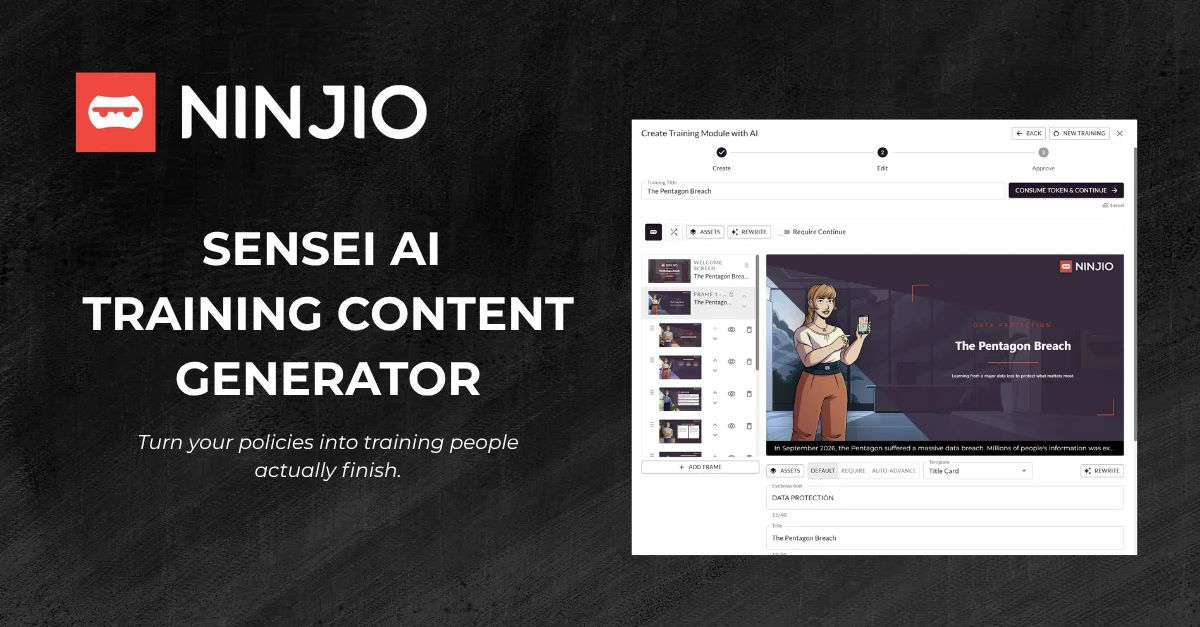
NINJIO Sensei AI Training Content Generator closes the gap. Type a prompt, let NINJIO help you build one, or upload a document you already have, and in about five minutes you get a complete, NINJIO-style training module: Script, slides, and professional narration included.
Deploy and track it from the same platform, and your team gets training as customized as the policy itself, in minutes instead of months.
How it works
No authoring tool or instructional design background required.
- Start with what you’ve got. Type a prompt, pull from a NINJIO-provided one, or upload the document you need your team to absorb.
- Get a full module in minutes, not months. A custom, NINJIO-style script, slide deck, and narration arrive together in about five minutes.
- Review, then deploy. Edit anything you want. Nothing goes to your team until you’ve signed off, and then it deploys like any other NINJIO training.
- Track it like everything else. Output is SCORM 2004, so completions report straight into NINJIO or export to whatever LMS you’re already running.
Part of a bigger shift
Training Content Generator is the newest capability inside NINJIO Sensei AI, the AI layer running across the NINJIO platform. It joins the Vishing Simulator, which trains people to catch social engineering over voice calls and video meetings; the Phishing Template Generator, which builds realistic, customized phishing simulations without the manual template work; the Email Threat Analyzer, which classifies and prioritizes reported threats before admin fatigue sets in; and Content Curator, which helps you deploy what’s already in NINJIO’s library.
Everything is built around the same promise: Training has to move at the speed attacks do.
The difference between the Training Content Generator and the Content Curator
Content Curator and Training Content Generator share a launch family and a similar name. That’s about where the similarity ends. Content Curator helps you find and deploy training from NINJIO’s existing library.
Training Content Generator builds new training from your own material: The policy, the SOP, the compliance update that’s specific to your organization and doesn’t exist anywhere else. If NINJIO already has what you need, use Content Curator. If your policy is highly specific to your organization, this is your tool.
Ready to see it work with your own documents?
Bring the policy that’s been sitting in your drafts folder. We’ll show you how fast it can become training.
Frequently Asked Questions
About five minutes from prompt or upload to a complete module you can review. Training shouldn’t take months, and with the Training Content Generator, it doesn’t.
No. If you can write a prompt or attach a document, you can generate a module.
Whatever you’re already working from: a policy, a procedure, a compliance update, an internal memo. If it explains something your team needs to know, it’s a candidate.
Content Curator deploys NINJIO’s existing library. Training Content Generator builds new training from your material. Use Content Curator when NINJIO already has what you need. Use Training Content Generator when only you do.
No. You review and edit it before anything reaches your team.
In NINJIO directly, or in whatever LMS you use. The SCORM 2004 output is built to travel.